savingsspot.co.uk
We have all experienced the exact same digital roadblock. You have spent three hours on a Sunday afternoon meticulously designing a virtual Pax wardrobe, or filling your digital basket with artificial Fejka plants, Ribba frames, and those incredibly useful blue Skvaller containers. Your online total is sitting at a slightly eye-watering £385. You click through to the secure checkout, and there, sitting quietly on the right-hand side of the screen, is a small, empty field that asks: ‘Have a discount code?’
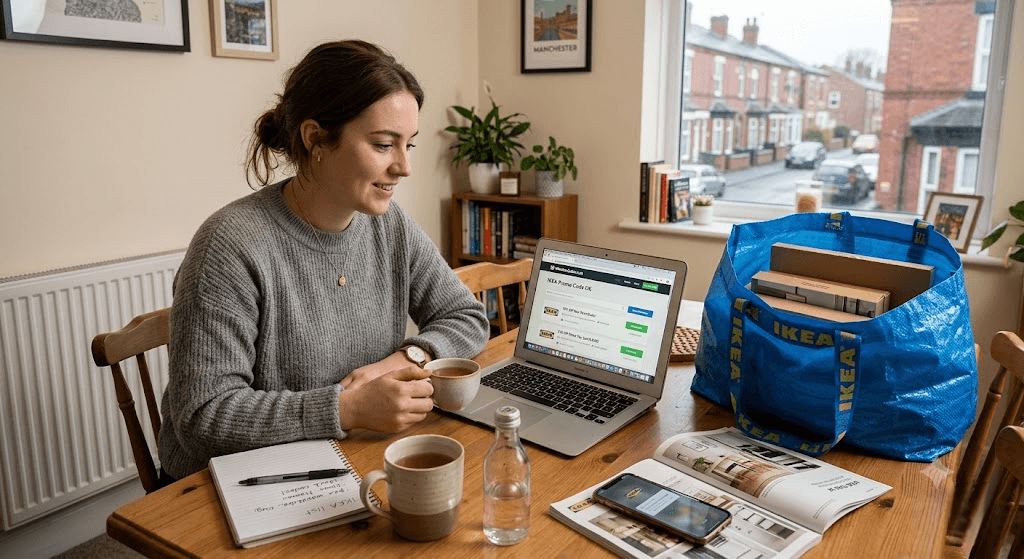
Instantly, human nature takes over. You open a new tab, head to Google, and type in “IKEA promo code online UK”. What follows is a twenty-minute journey into the digital wilderness, clicking on neon-green “REVEAL CODE” buttons on third-party voucher websites, only to be redirected back to the IKEA homepage with a useless string of letters like SAVE20 or HOME10 that the checkout immediately rejects as invalid.
If you are tired of this loop, you are in the right place. The open secret of the British furniture market is that IKEA does not use traditional sitewide discount codes. Because their business model relies on high-volume, razor-thin product margins, a generic “20% off everything” voucher would break their supply chain economics. However, this does not mean you have to pay full price. There is a very specific, hidden ecosystem of digital vouchers, account triggers, and delivery workarounds designed for UK consumers. Here is exactly how to navigate it.
Why 99% of the Voucher Codes You Find Online Are Fake
Before looking at how to save money, we have to look at why your Google search failed. When you look at voucher aggregator websites, they are operating on an affiliate marketing model. Their primary goal is not to give you a working code; it is to drop a tracking cookie into your web browser.
When you click “Show Voucher” on a third-party site, that website registers that it sent you to IKEA.com/gb. Even though the code they gave you failed, if you get frustrated, give up, and buy that Malm chest of drawers at full price anyway, that voucher website collects a 2% to 4% commission on your entire basket just for having been the last website you clicked on.
Understanding this instantly saves you time. You can permanently stop looking for standard sitewide coupon codes. Legitimate IKEA UK digital discounts exist strictly as unique, single-use alphanumeric strings tied directly to your personal customer data, or as internal account credits. To get one, you have to make the IKEA system generate it for you.
6 Verified Ways to Unlock Online Discounts at IKEA UK
1. Trigger the “Moving Home” Algorithm
The most reliable way to get a traditional, high-value promo code sent to your inbox is to exploit IKEA’s automated Customer Relationship Management (CRM) software. IKEA knows that the average British consumer spends more money on furniture in the first ninety days of moving into a new property than they do over the next five years combined.
To capture this market, their database automatically dispatches “Housewarming” promotional vouchers to users who signal a change of address. Here is how to force the trigger:
- Log into your online IKEA Family account (if you do not have one, create it—it is entirely free).
- Navigate to your account dashboard and click on ‘My Profile’ or ‘Account Details’.
- Look for the section regarding your living situation. Change your status to “Moving Home” or manually update your primary billing and delivery address to a new UK postcode.
- Ensure your communication preferences have “Email Marketing” ticked as active.
Within 48 to 72 hours, the automated system frequently catches this update and generates a bespoke, one-time-use promo code sent straight to your email. Historically, this manifest as a £15 off any £150 online spend voucher, valid for 30 days.
2. The Workplace Benefits “Gift Card Stack”
If you work for the NHS, the civil service, a major supermarket, or any mid-to-large UK corporation, you likely have access to an employee rewards portal. Platforms like Reward Gateway, Edenred, Perkbox, or the Blue Light Card app offer digital gift card purchasing at a permanent discount.
While IKEA does not offer a direct promo code for NHS staff at the standard checkout, they do sell digital gift cards to these employee portals at a wholesale discount—usually between 4% and 7% off. You can turn this into an instant online promo code using the following method:
- Work out the exact total of your digital IKEA basket (e.g., £240).
- Log into your workplace benefits portal and search for “IKEA”.
- Purchase a digital gift card for the exact value of your basket. At a 5% discount, a £240 gift card will only cost your bank account £228.
- The portal will instantly generate a 19-digit card number and a 4-digit PIN.
- Go back to your IKEA basket, proceed to the payment screen, and select “Pay with an IKEA Gift Card”. Enter the numbers.
You have just created your own sitewide discount code, bypassing the standard checkout restrictions entirely.
3. Turn Old Furniture into Online Checkout Credit
Many shoppers assume that IKEA’s BuyBack & Resell scheme is purely a physical, in-store chore. While you do have to drop the furniture off, the transaction results in an online currency.
If you have an old Billy bookcase, a Kallax unit, or a set of dining chairs that are structurally sound but gathering dust, do not take them to the local tip. Go to the IKEA UK website and search for the BuyBack Estimator Tool. You input the item, declare its condition (As New, Minor Scratches, or Well Used), and the website generates a digital preliminary quote.
When you drop the item at the returns desk of your nearest store, they do not hand you cash; they hand you an IKEA Refund Card. This physical card functions identically to an online voucher. When you get home to buy your new furniture online, you input the long number on the back of the Refund Card into the digital checkout, instantly wiping the trade-in value off your new online basket.
4. Catch the Friday Morning “Family Sweep”
If you are shopping online without being logged into an IKEA Family account, you are effectively choosing to be overcharged. IKEA operates a two-tier pricing system on its website.
Every Friday morning, the digital merchandising team updates the IKEA Family Offers database. Rather than issuing a promo code to type in, the website automatically strikes through the standard price of selected items and replaces it with a lower price, but only if the web browser detects an active Family membership logged in.
For example, a standard Friheten corner sofa bed might sit at £499 for a regular guest checkout. If you log in, the price instantly updates to £429. Before you ever hit the checkout button, verify that your name appears in the top right-hand corner of the website banner.
5. Kill the Delivery Surcharge via “Tesco Hubs”
For the vast majority of UK shoppers, the real “discount” they are hunting for isn’t off the timber—it is off the diesel. IKEA’s standard home delivery for large, two-man furniture items can cost up to £40 depending on your postcode. Paying £40 to have a £60 flat-pack desk delivered destroys the value of the purchase.
If you cannot find a voucher code to wipe out the delivery cost, use the Mobile Collection Point workaround. IKEA has quietly partnered with Tesco and Morrisons supermarkets across Great Britain.
When you reach the delivery options page during checkout, do not select “Home Delivery”. Select “Collect from an IKEA Partner”. Enter your postcode. You will likely find a local supermarket car park listed. Selecting this drops the delivery fee from £40 down to £5 (and during promotional pushes, it drops to £0). A white IKEA lorry parks in the supermarket car park during a designated two-hour window, you pull your car up alongside it, and they hand you your flat-pack boxes. You have just saved £35 without typing a single code.
6. Secure “As-Is” Stock Digitally
The famous Bargain Corner (rebranded as the Circular Hub) used to be the ultimate lucky dip for in-store visitors willing to buy an ex-display sofa with a tiny scuff on the back. Most people do not realise that this inventory is now hooked up to the central website.
Scroll to the very bottom of the IKEA UK homepage, look at the footer under the ‘Shopping’ column, and click Circular Hub Online. Select your local store from the drop-down menu.
The database will populate with real-time photographs of the discounted stock sitting in that specific shop’s warehouse, complete with the exact markdown percentage (usually between 30% and 50% off). If you see a dining table you want, you can click **”Reserve”**. The website holds the item under your name for 48 hours. While you still have to drive to the store to collect it, you have digitally locked in a massive discount that regular online shoppers will never see.
The Anatomy of the IKEA.com/gb Checkout Page
Even when UK consumers get their hands on a legitimate, working promotional voucher, a huge percentage of them fail to use it because of poor User Interface (UI) design at the checkout. It is vital to understand the difference between the two entry boxes on the payment screen.
When you reach the final payment screen, look at the right-hand column:
Box A: “Have a Discount Code?”
This box is strictly reserved for short, 6-to-10 character alphanumeric codes issued directly to your email address by IKEA CRM (e.g., the Moving Home voucher). If you try to put a gift card number or a physical refund voucher in here, the screen will turn red and declare the code invalid.
Box B: “Pay with a Gift Card or Refund Card”
This sits slightly lower down, often hidden beneath an expandable little arrow. If you are using a digital voucher bought via a workplace scheme, an old physical gift card, or a BuyBack credit note, you must expand this box. It requires two separate pieces of data: the 19-digit long number, and the 4-digit PIN (which, on physical cards, requires you to scratch off a silver foil panel).
The UK Retail Calendar: When to Stop Hunting for Vouchers
Timing your online purchase can render the need for a promo code completely redundant. The Swedish giant operates on a very rigid fiscal calendar that dictates when prices drop.
Forget Black Friday: IKEA sits out of the traditional late-November Black Friday madness. In the UK, they run an event called “Green Friday”. Rather than discounting new stock, they offer double the value on BuyBack vouchers to encourage people to recycle old furniture. If you are waiting for November 25th to buy a cheap sofa online, you will be disappointed.
The Golden Windows for Online Reductions:
- Mid-December to January 31st (The Great Storage Event): This is the single best time to buy PAX wardrobes, Besta television units, and kitchen carcasses. IKEA reliably slashes 15% off their modular storage ranges online during this window to capture the “New Year, New Home” market.
- July (The Catalogue Changeover): IKEA’s global manufacturing year ends in August when the new catalogue ranges are finalized. Throughout July, the UK website quietly dumps discontinued fabric colours, older lighting models, and out-of-season outdoor furniture into the online clearance section at up to 60% off to clear the distribution warehouses in Peterborough and Dartford.
The Savvy Shopper’s 30-Second Checklist
Before you commit to putting your debit card details into the IKEA UK web portal today, run your basket through this rapid diagnostic check:
- Are you logged into an active IKEA Family account? (If no: Log in now to check for automatic strike-through pricing).
- Have you checked your employer’s digital portal or the Blue Light Card app for discounted Gift Cards? (If yes: Buy the exact amount of your basket and use it as a cash equivalent).
- Is your delivery charge sitting at £25 or £40? (If yes: Switch the delivery tab to ‘Collect from a Partner’ and look for a local Tesco/Morrisons drop-off point to save up to £35).
- Did you check the online Circular Hub for your local branch? (If no: Take 60 seconds to ensure an ex-display version of your item isn’t sitting in the warehouse at half price).
- Are you trying to paste a code from a random coupon website into the checkout? (If yes: Close the tab immediately; it is not going to work).
By treating the IKEA website not as a standard shop, but as a digital system with specific levers, you can consistently secure the best possible price on your home furnishings without ever needing to rely on luck.