 savingsspot.co.uk
 If you are an avid reader in the United Kingdom, you have likely looked at your monthly outgoings recently and winced. With the standard cost of a paperback now routinely hovering between £8.99 and £10.99, transitioning to a digital library makes undeniable financial sense. Amazon’s Kindle Unlimited (KU) is the undisputed heavyweight of the subscription reading world, but at its standard UK price of £9.49 per month, it costs more than a standard Netflix or Disney+ subscription. Over a year, that is £113.88 leaving your bank account for digital files you do not technically own.
The good news? You should almost never pay the full £9.49 monthly fee. Because Amazon prioritises subscriber acquisition and retention above immediate profit margins, the UK market is constantly swimming in legitimate discounts, hidden retention offers, and partner promotions. The challenge is simply knowing where to look, which digital tripwires to trigger, and how to navigate the notoriously stubborn Amazon UK algorithm.
Whether you are a voracious consumer of independent psychological thrillers, a fantasy romance addict, or just looking to tackle a massive backlog of non-fiction on your daily commute to London or Manchester, this guide will show you exactly how to slash your Kindle Unlimited costs.
Understanding the Baseline: What Are You Actually Paying For?
Before hunting for discounts, it helps to understand the product ecosystem. When Kindle Unlimited launched in the UK, it was priced at £7.99. Following recent price adjustments, standard UK subscribers pay £9.49 a month. For this, you get access to a revolving digital library of over three million titles, thousands of downloadable audiobooks, and a selection of current magazine subscriptions including Good Housekeeping, Grazia, and Empire.
Crucially, Kindle Unlimited operates differently from standard high-street book purchasing. The major “Big Five” traditional publishing houses (such as Penguin Random House and HarperCollins) keep their blockbuster front-list authors off the service. You will not find the latest Richard Osman, Sally Rooney, or Robert Galbraith novel here. What you will find is the world’s largest repository of self-published and independent literature, alongside massive digital back-catalogues. If you read three or four indie books a month, the service breaks even at full price; if you secure the discounts below, you can effectively read for pennies.
The 6 Best Ways to Get a Kindle Unlimited Discount in the UK
1. Trigger the “Threaten to Cancel” Retention Algorithm
This is arguably the most reliable, repeatable hack available to UK Kindle users, yet an astonishing number of people never try it. Amazon’s automated systems are programmed to protect their “active subscriber” metric at all costs. When you attempt to walk away, the system panics.
If you are currently paying the full £9.49, or are approaching the end of a free trial, follow these exact steps:
- Log into your Amazon.co.uk account via a standard web browser (do not use the mobile app, as the interface often hides these options).
- Navigate to Account & Lists > Memberships & Subscriptions.
- Locate your Kindle Unlimited subscription and click Manage Subscription.
- Click the button that says Cancel Kindle Unlimited Membership.
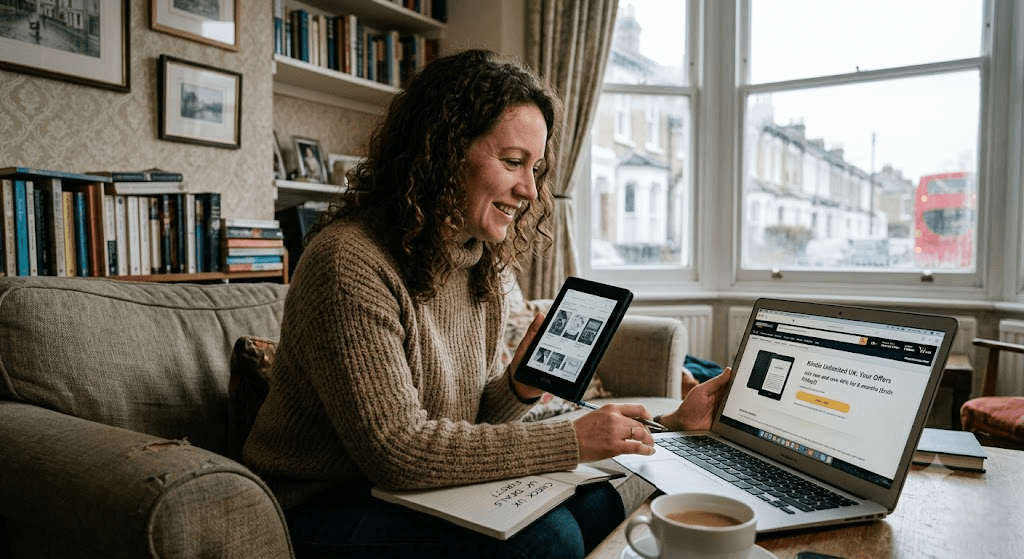
Amazon will not instantly cancel your account. Instead, you will be taken through a multi-page “guilt-trip” sequence showing you the books you will lose access to. On the second or third screen, the retention algorithm will assess your reading frequency and present a bespoke counter-offer. For UK users, this routinely manifests as either two months for £4.99, or occasionally a completely free 30-day extension. Accept the offer, enjoy the discounted window, and immediately set a calendar reminder on your phone for 55 days later to repeat the exact same process.
2. The UK Mobile Network Loophole (O2 Priority and Vodafone)
Unlike consumers in North America, UK readers have a unique backdoor into Amazon services through telecommunications loyalty schemes. Amazon UK frequently uses mobile network providers as a vehicle for massive user acquisition drives.
If you are an O2 customer (or use Virgin Media broadband, which grants you access to the O2 Priority app), open your app and search the terms “Kindle” or “Reading”. O2 routinely drops voucher codes offering two or three months of Kindle Unlimited for absolutely £0.00. Similarly, Vodafone’s VeryMe rewards platform runs a recurring partnership offering two months free for both new and returning Kindle Unlimited users who haven’t held an active subscription in the last 36 days. Because these codes are issued as unique alphanumeric hyperlinks, they bypass the standard Amazon homepage restrictions.
3. Exploit the “Hardware Basket” Checkbox
If you, a partner, or a family member are planning to buy a new physical Kindle e-reader—be it the standard Kindle, the Paperwhite, or the top-tier Scribe—you have a built-in discount sitting in your digital shopping basket.
When viewing a Kindle device on Amazon.co.uk, look directly below the colour and storage selection options. You will see two small radio buttons:
- Without Kindle Unlimited
- With 3 Months Free Kindle Unlimited
They cost the exact same price. Toggling the three-month option adds a promotional entitlement to your account instantly upon dispatch. The lesser-known trick here relates to gift-giving: if you are buying a Kindle Paperwhite as a birthday present for a family member, toggle the “With 3 Months Free” box anyway. The Kindle Unlimited subscription attaches to the *purchaser’s* Amazon account, not the physical device. You get a third of a year of free reading, and the recipient gets a brand new e-reader.
4. Mark Your Calendar for the “Big Three” Retail Windows
Amazon UK operates on a highly predictable promotional calendar. While random flash sales happen, the most aggressive Kindle Unlimited discounts are locked strictly to three specific retail events:
- Prime Day (Mid-July): Historically offers 3 months of KU for £0.00 to Prime members, or 3 months for £2.99 for non-Prime account holders.
- Prime Big Deal Days (October): A carbon copy of the July offer, designed to catch the autumn reading market.
- Black Friday & Cyber Monday (Late November): Usually features the widest net, offering 3 months for £0.00 to almost any UK account that hasn’t been active since the summer.
If you are paying full price in June, September, or early November, cancel your membership immediately. Sit out the two to three-week interim period, and let your account register as “inactive” just in time for the promotional banners to roll out across the site.
5. The “Account Reset” Waiting Game
A common misconception among UK consumers is that the famous “30-Day Free Trial” is a once-in-a-lifetime offer per human being. In Amazon’s backend database, your status as a “new customer” actually operates on a rolling reset timer.
If you cancel your Kindle Unlimited subscription and do not click a single KU link for a period of roughly six to twelve months, the tracking cookies associated with your user profile expire. When you eventually navigate back to the Kindle Unlimited landing page, the standard “£9.49 per month” button will have magically reverted to a bright gold “Start your 30-day free trial” button. If you are someone who only reads heavily during summer holidays or the dead of winter, simply toggling your account off for six months at a time ensures you will almost never pay for your seasonal reading binges.
6. Secure a Pre-Paid “Gift” Subscription
This is one of the best-kept secrets on the UK platform because Amazon makes it remarkably difficult to find via their standard search bar. You do not actually have to pay for Kindle Unlimited on a rolling monthly contract; you can buy pre-paid bundles.
By searching Google specifically for “Amazon UK Kindle Unlimited Gift Subscription”, you will land on a hidden sub-page that allows you to purchase access in 6-month, 12-month, or 24-month blocks. During promotional periods (particularly around Mother’s Day, Father’s Day, and Christmas), Amazon applies fixed-percentage discounts to these bundles, sometimes shaving up to 20% off the equivalent monthly rate. You simply buy the gift code, have it emailed to your own personal inbox, and apply it to your own account. This locks in your discounted rate for up to two years, completely insulating you from future standard monthly price hikes.
Troubleshooting: Why Is Your UK Discount Code Failing?
Nothing is more frustrating than finding a link for “3 Months of Kindle Unlimited for £0.00”, clicking it, and being met with a generic error page or an invitation to pay £9.49. If this happens to you, your account has likely fallen foul of one of three common UK technical snags:
The .com vs .co.uk Cookie Trap
Because the global internet is heavily skewed toward American tech forums, many of the Kindle discount links shared on websites like Reddit, HotUKDeals, or X point to amazon.com rather than amazon.co.uk. If you click a US link, Amazon’s server looks at your UK-registered account, realises your payment card is tied to a British postcode, and panics, throwing a “This offer is not available in your region” error. Always check the URL bar: if it says .com, manually highlight the URL and change it to .co.uk before hitting enter.
The “Cooling Off” Window
Read the fine print of almost any UK promotional offer, and you will see a variation of this sentence: “Offer available to new subscribers only, or those who have not held an active account in the last 36 months.” In practice, Amazon’s definition of “new” is much more forgiving than 36 months, but it is strictly rigid about the 30-day mark. If your paid subscription expired on the 10th of the month, and you try to claim a Prime Day freebie on the 15th, the system will reject you. You must let your account sit completely dormant for at least a full billing cycle before the promotional gates open again.
The Family Account Entanglement
If you use Amazon Household to share Prime shipping benefits with a partner or flatmate, the system occasionally links your digital entitlement histories. If your partner claimed a free Kindle Unlimited trial on their tablet last month, the UK algorithm may flag your shared IP address or physical home address as “ineligible” for a concurrent trial. To bypass this, attempt to claim the trial over a cellular 5G connection rather than your home Wi-Fi.
The “Aeroplane Mode” Hack: Stretching Your Discounted Months
Once you have successfully applied a discount—say, a two-month trial for £4.99—there is a legendary grey-hat method used by British e-reader enthusiasts to stretch that two-month window into three or four months of offline reading.
Kindle Unlimited allows you to hold up to 20 borrowed titles in your library at any single time. As your discounted trial approaches its final 48 hours, follow this procedure:
- Open your Kindle and max out your 20-book allocation with the longest, most dense books you wish to read over the coming months.
- Ensure all 20 books have fully downloaded to the device’s local hard drive (look for the small tick icon next to the cover).
- Go into your Kindle device settings and turn on Aeroplane Mode (completely disabling Wi-Fi and Bluetooth).
- Go to your web browser on a separate computer and cancel your Kindle Unlimited subscription.
When the cancellation date passes, Amazon’s central servers will revoke your digital licences. However, because your physical Kindle e-reader is locked in Aeroplane Mode, it cannot receive the “kill signal” from Amazon’s server. Your 20 downloaded books will remain readable on that screen indefinitely. You can take the device on a three-week holiday to Cornwall, read through all twenty books at your leisure, and only reconnect the Wi-Fi once you are finally ready to return the digital copies and hunt for your next discount code.
Summary: Your UK Kindle Unlimited Action Plan
To ensure you never pay the £113.88 annual retail cost again, treat this as your permanent digital checklist:
- Never let it auto-renew: The moment you trigger a free trial or a £4.99 offer, go into your settings and cancel it. You keep the full duration of the trial, but remove the risk of forgetting it.
- Check your phone provider: Look at O2 Priority or Vodafone VeryMe at least once a quarter.
- Use the “Cancel Threat”: If you are paying £9.49 today, click “Cancel” right now just to see what automated bribe the system offers you to stay.
- Sync with the seasons: Aim to do your heavy digital borrowing in July (Prime Day) and November (Black Friday).
By treating Amazon’s subscription model not as a fixed utility bill, but as a flexible digital marketplace designed to be negotiated with, you can maintain a world-class digital library on your nightstand for the cost of a high-street coffee every few months.