
 savingsspot.co.uk
 If you have ever clicked ‘Buy Now’ on a brand-new e-reader at its full Recommended Retail Price (RRP), you have inadvertently fallen into one of modern consumer tech’s most easily avoidable traps. In the United Kingdom, the digital reading market operates on a highly cyclical, heavily incentivised pricing model. Manufacturers do not view these devices purely as pieces of hardware; they view them as digital storefronts. Because Amazon, Rakuten Kobo, and PocketBook want you locked into their respective book ecosystems, they are routinely willing to slash the entry price of their hardware to get you through the door.
Whether you are looking to upgrade an ancient, button-operated Kindle from 2012, or you are trying to find a budget-friendly entry point into digital reading before your next holiday, timing and strategy are everything. This comprehensive guide will show you how to navigate the UK’s retail landscape, exploit price-matching loopholes, and secure the absolute best e-reader deals available.
1. The Two Ecosystems: Where the True “Value” Lies
Before hunting for a discount, you have to choose your side. A cheap device is a terrible deal if it locks you into a storefront you dislike. In the UK, the market is effectively a two-horse race, and each has its own unique financial loophole.
The Amazon Kindle Fortress
Amazon dominates the UK market with the basic Kindle, the Paperwhite, the Colorsoft, and the note-taking Scribe. Amazon’s pricing strategy is simple: treat the hardware as a “loss leader”. Because of this, Kindles see the steepest, most frequent percentage drops of any tech gadget on the market. However, there is a catch that UK buyers need to know: Kindles sold in the UK do not natively support public library borrowing. If you buy a Kindle, you are committing to buying your books through Amazon, subscribing to Kindle Unlimited, or manually sideloading non-DRM files via a PC.
The Rakuten Kobo Superpower (The UK Library Hack)
Kobo’s lineup (including the Clara BW, the Libra Colour, and the Elipsa) is the savvier long-term financial play for British readers. Why? Because Kobo devices feature built-in, native support for OverDrive (Libby). If you are a member of almost any local UK public library—whether in Leeds, London, or the Scottish Highlands—you can punch your library card details directly into the Kobo device and borrow digital books instantly for free.
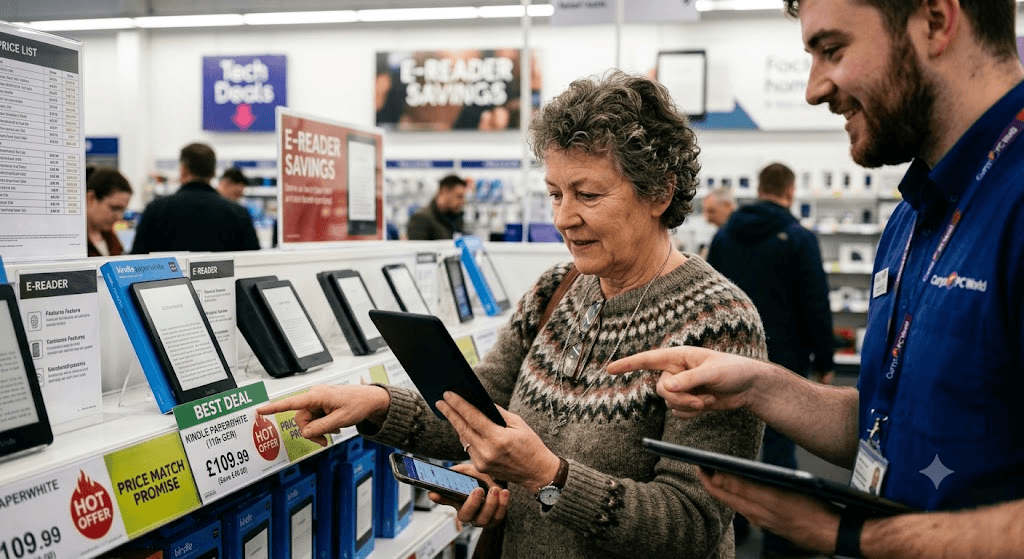
When calculating a “deal”, keep this math in mind: A Kobo Clara bought at full price (£119) will ultimately cost a voracious reader far less over two years than a discounted Kindle Paperwhite (£109) if the Kindle owner has to purchase every single £4.99 bestseller they wish to read.
2. The UK Retail Calendar: When to Open Your Wallet
If you pay full price for an e-reader in October, you have committed a minor retail tragedy; it is almost guaranteed to be 20% to 35% cheaper four weeks later. Mark these specific windows in your diary:
- March / April (Amazon Spring Deal Days): A relatively new addition to the UK retail calendar. This is the first major drop of the year, usually shaving £20 to £30 off mid-tier models to clear out post-Christmas warehouse stock.
- July (Amazon Prime Day): Historically, this is the moment the basic Kindle and Kindle Paperwhite hit their absolute lowest prices of the calendar year. Rakuten Kobo almost always runs a counter-sale via their own website and Argos during this exact same week to stop Amazon stealing all the oxygen.
- October (Prime Big Deal Days): A dry run for Black Friday. If you need an e-reader for an autumn half-term holiday, buy it here; the prices will be identical to late November.
- Late November (Black Friday Week): The ultimate buyer’s market. This is the only time of year you will see heavy discounts on high-end, niche devices like the Kindle Scribe, the Kobo Elipsa, or the Android-powered Onyx Boox tablets.
- Boxing Day to Jan 15th: The “New Year, New Habit” sales. Retailers push e-readers hard to catch consumers trying to fulfill New Year’s resolutions to read more and scroll their smartphones less.
3. The High Street vs. The Internet: The Price-Match Loopholes
While Amazon sets the baseline rhythm for e-reader discounts, savvier UK shoppers rarely actually buy their Kindles from Amazon.com during a major sale. Instead, they use UK high-street retail quirks to their advantage.
The Argos “No-Prime” Hack
During Amazon Prime Day, Amazon locks its heavily discounted Kindle prices behind an £8.99-per-month Prime subscription. If you do not have Prime, you cannot get the deal. However, UK high-street giant Argos automatically algorithmically price-matches Amazon’s hardware drops on the exact same morning. You can walk into a local Argos, or reserve online for immediate store collection, and buy the Kindle at the exclusive “Prime price” without giving Jeff Bezos a single penny for a subscription.
The John Lewis 2-Year Guarantee Advantage
If a Kindle Paperwhite drops to £114.99 on Amazon, check John Lewis & Partners immediately. John Lewis operates a strict “Never Knowingly Undersold” ethos on major tech events. They will match the £114.99 price point tag-for-tag. The massive benefit to the consumer? Amazon provides a standard 1-year manufacturer warranty; John Lewis automatically includes a 2-year electrical guarantee at no extra charge. You get the exact same deal, plus an extra 12 months of hardware failure peace of mind.
4. Four “Insider” Hacks for an Instant Discount
What if your current e-reader dies in the middle of May, nowhere near a scheduled sales event? Do not panic. There are four permanent backdoors to a cheaper device.
1. The Amazon Trade-In Illusion
Amazon runs a permanent Trade-In programme in the UK that borders on a commercial loophole. If you hand over an old Kindle—even a battered, scratched 2011 Kindle Keyboard with a dead battery—Amazon will grant you an immediate 20% discount voucher toward a new Kindle, alongside a small gift card for the appraised scrap value of the old unit (usually £5 to £15).
Crucially, this 20% voucher stacks on top of existing sales. If the Kindle Paperwhite drops from £149 to £119 in a Spring Sale, applying your trade-in voucher brings the price down to an astonishing £95.20. If you don’t have an old Kindle to trade in, go to eBay, buy a broken “spares or repairs” Kindle for £8, register it to your account, and instantly trade it in for the 20% voucher. The math will put you heavily in the green.
2. The “With Ads” Removal Trick
When buying a Kindle, you will be offered two tiers: “With Ads” (cheaper) and “Without Ads” (usually £10 to £15 more expensive). Always buy the cheaper “With Ads” version. The advertisements only ever appear on the lock screen when the device is asleep; they never interrupt your reading.
Furthermore, once the device arrives in your hands, open a live text chat with Amazon UK Customer Service. Politely explain that the lock-screen adverts are showing content inappropriate for your children, or simply ask kindly as a loyal customer if they can be switched off. In 90% of cases, the support agent will click a button on their end and permanently remove the ads from your unit for free.
3. Exploit “Certified Refurbished” and “Renewed” Outlets
Consumers are often terrified of the word “refurbished”, associating it with scratched screens and greasy thumbprints. In the e-reader world, this is a misconception. Because e-reader screens use fragile E-Ink glass capsules, returned units cannot be casually buffed out and put back on a shelf; they have to go through rigorous factory re-housing.
- Amazon Renewed: Look for “Certified Refurbished” Kindles sold directly by Amazon (not third-party sellers). These have been fitted with brand-new outer shells and fresh batteries, and they carry the exact same 1-year legal return policy as a brand-new box. They sit permanently at 15% below RRP.
- The Kobo Official eBay Store: Rakuten Kobo operates an official clearance outlet on eBay UK. They dump their overstock and factory-restored units here, often offering “Pristine” graded Kobo Claras for £25 under the retail price, complete with official manufacturer warranties.
4. Set a “Price Floor” Trap
Never rely on your own memory to know if a price is good. If you are eyeing a PocketBook Verse Pro or a Kobo Libra Colour, drop the product URL into PriceRunner.com or PriceSpy.co.uk. These sites track the historical pricing of the item across every registered web store in Great Britain.
Look at the graph for the preceding 12 months. Find the lowest trough the line ever hit—that is the product’s “Price Floor”. Set an automated email alert on the tracking website for that exact figure. The moment Currys, Very, or AO.com tries to quietly sneak out a weekend flash sale to hit a quarterly target, your phone will ping.
5. Specs You Should Never Pay Extra For
When retailers do bundle deals, they often try to upsell you on inflated hardware specifications that offer zero practical utility to an e-reader user. Keep your wallet shut when presented with these three things:
High Storage Capacities (32GB / 64GB)
Unless you are reading massive, high-resolution graphic novels, Manga, or using the device to store dozens of multi-gigabyte unabridged Audible audiobooks, do not pay the extra £30 for 32GB of storage. A standard 8GB or 16GB e-reader can comfortably hold between 6,000 and 12,000 standard EPUB or MOBI text novels. You could read a book a week for the rest of your natural life and never fill an 8GB hard drive.
Cellular / 4G Connectivity
Some top-tier models still offer “Free 4G/Cellular” so you can download books while sitting on a beach away from Wi-Fi. This is an archaic tax left over from 2010. Every single person reading this article owns a smartphone with a “Personal Hotspot” toggle. If you desperately need to buy a novel while sitting on a train in Cornwall, turn your phone’s hotspot on for forty seconds, tether your e-reader to it, download the 2-megabyte file, and switch it off. Save the £50.
Official Branded Leather Cases
Both Amazon and Kobo produce gorgeous, premium leather sleep-covers tailored to their devices, and they charge an eye-watering £35 to £55 for them. Put the device in your basket naked. Head over to Amazon or eBay and search for third-party brands like Fintie or MoKo. You will find magnetic, auto-wake/sleep smart covers made of high-grade polyurethane or synthetic fabric offering identical drop protection for £9.99 to £14.00.
6. The Smart Buyer’s Final Checklist
Before you commit to a checkout screen at any UK retailer, run your basket through this 60-second diagnostic:
- Have I checked the calendar? If it is late June or early November, close the tab and wait 14 days.
- Am I paying for an ecosystem I can actually use? If you have a massive local UK library catalogue, verify that you aren’t about to buy a Kindle that blocks Libby.
- Can I get a better warranty down the road? If Amazon is running a sale, check if John Lewis has matched it to secure the free second year of coverage.
- Is there a dead device in my junk drawer? Check your desk for an old Kindle to turn into an instant 20% Amazon trade-in token.
- Am I buying the bare unit? Ensure you haven’t accidentally selected the “Without Ads” premium or the 32GB storage upgrade.
By treating the purchase of an e-reader not as an impulsive tech grab, but as an exercise in retail timing, you can routinely secure top-tier digital reading hardware for the price of a hardback box set.