savingsspot.co.uk
We have all been there. You have spent three evenings meticulously cross-referencing boutique hotels in the Cotswolds or a sun-drenched villa in the Algarve. You finally settle on the winner, click through to the final payment screen, and there it sits: the small, tempting text box asking, “Do you have a promo code?”
Instantly, you open a new browser tab. You type those fateful words into Google, only to find yourself trapped in a digital wasteland of expired vouchers, spammy coupon aggregators, and generic links that promise “50% off” but merely redirect you back to the home page you just left. Twenty minutes later, defeated, you pay the full price.
Let us speak plainly: Booking.com does not operate like a high-street clothing retailer. Traditional, sitewide copy-and-paste discount codes are exceptionally rare. However, the platform is genuinely awash with massive price reductions—they are simply disguised as algorithmic pricing, hidden account tiers, and strategic partner integrations. If you are booking from the United Kingdom, understanding how to manipulate this system can routinely shave between 10% and 35% off your final bill. Here is your masterclass in beating the algorithm.
The Illusion of the Promo Box
To master Booking.com, you first have to understand why that promo code box exists at all if they so rarely hand out codes. The box is primarily a legacy tool used for three very specific scenarios:
- Corporate tie-ins: Bespoke agreements with massive global enterprises for their staff travel.
- Customer service resolutions: Unique, one-time alphanumeric strings generated manually by an agent to apologise to a guest whose previous hotel room had a leaking ceiling.
- Closed-group banking rewards: Specific short-term promotions tied to high-tier credit cards.
Because the general public is locked out of these three avenues, searching for a standard code is a fool’s errand. Instead, the savvy UK traveller must focus on state-based discounting. You do not look for a code to type in; you put your browser, your app, and your account into a specific state that forces the platform’s dynamic pricing engine to serve you the cheapest possible tariff natively.
The Genius Programme: Your Invisible Lifetime Voucher
The single biggest mistake casual users make is booking a hotel as a “guest” without logging in. Booking.com’s loyalty scheme, titled Genius, is arguably the most generous, low-friction reward programme in the online travel agency (OTA) space. Unlike airline miles that expire if you do not fly for eighteen months, Genius status is a lifetime achievement.
The programme is split into three permanent tiers:
- Genius Level 1: Requires just two completed stays within two years. It instantly unlocks a permanent 10% discount on participating properties.
- Genius Level 2: Requires five completed stays in two years. This bumps the base discount to 15%, whilst adding complimentary breakfasts and free room upgrades on select listings.
- Genius Level 3: Requires fifteen stays in two years. This secures up to 20% off base rates, priority customer support, and free room upgrades as a standard expectation rather than a lottery.
The “Ghost Booking” Hack for Fast-Tracking Level 3
If you are currently sitting at Level 1, but you are about to book a £3,500 two-week family holiday to Florida, paying the Level 1 price is a mathematical error. You want that 20% Level 3 discount applied to the massive Florida bill.
To get it, employ the “Ghost Stay” strategy. Look for the absolute cheapest, most remote hostel dormitory beds in the world on Booking.com—often found in parts of South East Asia or rural Eastern Europe, pricing out at roughly £4 to £6 per night. If you need four more stays to hit Level 3, book four separate, non-consecutive one-night stays at these ultra-cheap hostels. Check in online, pay the £20 total, and simply do not turn up.
The platform’s automated system registers four completed stays. Your account permanently ticks over to Level 3. When you go back to book your £3,500 Florida trip the following week, your newly unlocked 20% tier saves you £700. You spent twenty quid to save seven hundred. That is how you use the system against itself.
The UK “Stacking” Masterclass
In the UK, we are blessed with one of the most mature, hyper-competitive cashback ecosystems in the world. Booking a hotel on a standard desktop browser without passing through a UK cashback portal is the equivalent of throwing ten-pound notes into the hotel lobby fountain.
To get the ultimate price, you must execute the Triple-Stack Protocol:
Step 1: The Cashback Gateway
Open your TopCashback or Quidco account. Search for Booking.com. Depending on the time of year, the tracked return for existing customers fluctuates wildly between 3% and 12%. Click the tracked link.
Step 2: The Mobile Pivot
Ensure that when you click that cashback link on your smartphone, it forces your device to open the native Booking.com iOS or Android App, rather than keeping you inside the mobile Safari or Chrome wrapper. Why? Because of the App Multiplier.
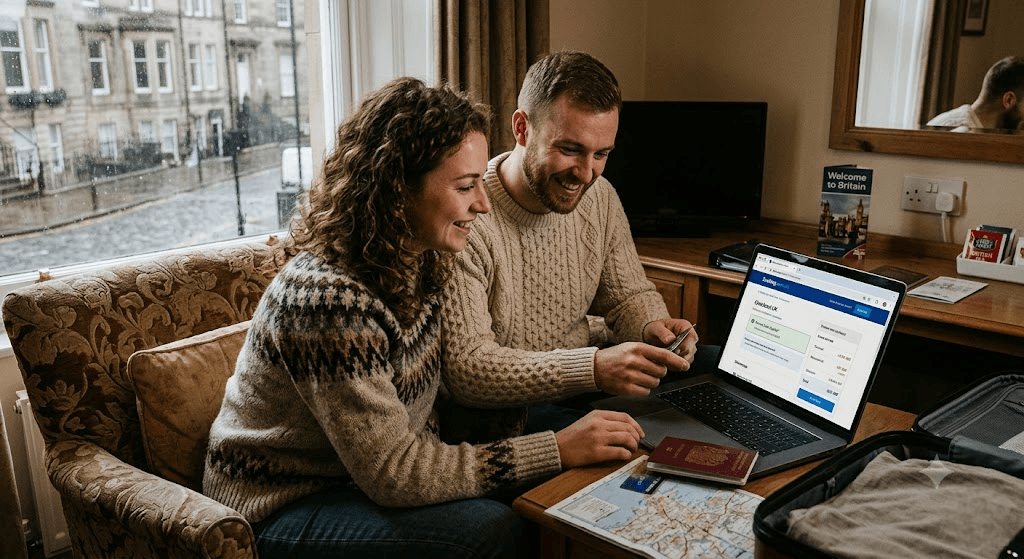
Step 3: Look for the Orange Badge
Booking.com is desperate to get users off mobile browsers and into their proprietary app, as app users exhibit significantly higher lifetime financial yields. To bribe you into the app, they offer a “Mobile-Only Price”. This is an automatic, un-coded 10% price drop applied strictly to users viewing the listing inside the app.
Let us look at the final mathematics of the Triple-Stack on a £1,000 hotel room in Rome:
- Base public desktop price: £1,000
- Your Genius Level 2 discount applies automatically: drops to £850
- The Mobile-Only App badge kicks in: drops a further 10% to £765
- Your TopCashback tracks at a standard 6%: returns £45.90 to your bank account post-stay
- True Cost to You: £719.10
You have just achieved an effective 28% discount without ever touching a promo code box.
Avios, Nectar, and the Loyalty Arbitrage
If you are a British holidaymaker who collects British Airways Avios or Sainsbury’s Nectar points, you have an alternative stacking route that occasionally beats raw cash.
British Airways operates a dedicated partnership portal with Booking.com. By logging into your BA Executive Club account and clicking through their specific portal, you collect a baseline of 6 Avios for every £1 spent on your accommodation. During BA’s promotional “boost” weekends—which happen roughly four times a year—this jumps to 8 or even 10 Avios per pound.
If you book a £1,500 family villa in Cornwall during an 8x boost weekend, you walk away with 12,000 Avios. In the UK redemption market, 12,000 Avios is enough to cover the point-cost of a return off-peak flight from London Heathrow to Barcelona or Milan. Effectively, your accommodation booking just bought your next European city break’s airfare.
The Only Real Alphanumeric Codes Left
While we have established that sitewide codes are a myth, there are three very specific sub-sections of the British public that *are* routinely issued live, working alphanumeric discount codes. If you fall into one of these buckets, check your dedicated portals:
1. The Student Hubs (UNiDAYS and Student Beans)
Booking.com maintains a rolling contract with both major UK student verification platforms. If you have an active `.ac.uk` email address, logging into UNiDAYS will frequently generate a live, single-use 15% discount code. Crucially, this code does stack on top of Genius Level 1 and 2 rates, though the system will usually block it from stacking with the Mobile-Only rate.
2. The Blue Light Card (NHS, Emergency Services, Armed Forces)
If you hold a UK Blue Light Card, do not go to Booking.com directly. Log into the Blue Light portal and search the travel category. While they occasionally offer explicit codes, they more frequently utilize a secure, encrypted token-link that applies a flat, sitewide 10% credit back onto your registered card upon completion of the stay.
3. The “Abandoned Basket” Nudge Code
This is a classic e-commerce psychological trick that Booking.com’s marketing AI relies on heavily. If you have your eye on an expensive property, do the following:
Log into your account on a desktop. Add the specific hotel to your basket, proceed to the final page where you enter your credit card details, but do not type them in. Close the browser tab entirely. Ensure your account settings have “Promotional Emails” toggled to ‘On’.
Wait 48 to 72 hours. Because the system tracks high-intent drop-offs, there is roughly a 40% chance that the retargeting software will fire an automated email to your inbox bearing a subject line similar to: “Still thinking about London? Here is 10% to help you decide.” Inside that email will be a genuine, hyper-personalised 16-digit promo code locked strictly to your email address.
The Geolocation and Currency Arbitrage
There is a persistent myth in UK travel forums that clearing your cookies or using “Incognito Mode” stops Booking.com from raising the price on you. In the UK, the Competition and Markets Authority (CMA) investigated online hotel booking sites rigorously in 2019, forcing them to cease artificial “pressure selling” and fake seat-scarcity algorithms.
However, what the CMA cannot stop is Point-of-Sale (POS) currency shifts. This is where a Virtual Private Network (VPN) actually makes you money.
Hotels load their base rates into the system in their native local currency. Booking.com then applies its own internal, slightly inflated exchange rate to display that figure to you in British Pounds (£). If you are looking at a high-end resort in Bali:
- Turn on your VPN and set your IP location to Indonesia.
- Open Booking.com in a private window and change the display currency at the top of the page from GBP (£) to Indonesian Rupiah (IDR).
- Look at the total price in IDR, and run it through a live mid-market converter (like XE.com) back into GBP.
You will frequently discover a “spread” gap of 4% to 7%. Because Booking.com builds a safety margin into its automated currency conversion to protect itself against inter-bank market fluctuations, paying in the native currency strips their margin out. To pull this off without getting stung by UK clearing banks, you must check out using a zero-foreign-transaction-fee debit card, such as Chase UK, Monzo, Starling, or Currensea.
The “We Price Match” Safety Net
What happens if you use all these tricks, lock in a “Non-Refundable” rate, and then three weeks later you see the exact same room listed on a rival site like Agoda, Expedia, or even the hotel’s own private website for £60 cheaper?
You trigger the Price Match Guarantee. Booking.com is profoundly protective of its claim to offer the lowest market rates. If you find a better price for the exact same dates, room type, and cancellation conditions, do not panic:
Take a clear, uncropped screenshot of the competitor’s final checkout screen showing the total price including all taxes. Go to your Booking.com confirmation page, scroll to the bottom, and click “Found this room cheaper somewhere else?” Submit your link and the screenshot. Within 24 hours, their customer service team will verify the live link and issue a manual refund of the difference directly to your original payment card.
The British Booking Calendar: When to Strike
Finally, timing your purchase to coincide with Booking.com’s systemic global sales will drop prices far lower than any individual promo code ever could. Mark these four anchor points in your diary:
- The Early Booker Deals (January – February): A sitewide 15% drop designed to capture the post-Christmas misery market as Brits rush to book their summer sun.
- The Getaway Deals (April – September): Designed to mop up the spring bank holiday and peak school summer holiday demand. Usually scales at 15% off base rates.
- The Late Escape Deals (October – November): Aimed at the autumn half-term and winter city-break crowd.
- The Black Friday Flash (Late November): This is the holy grail. For roughly ten days around Black Friday, participating hoteliers are permitted to opt into the “Black Friday Banner”. This forces a strict minimum of 30% off the standard rate. If you can hold your nerve and book your spring or summer trips for the following year during this late-November window, you will secure the absolute floor price the platform is capable of generating.
Your Pre-Checkout Checklist
Before you click that final ‘Confirm and Pay’ button, run your mouse over this final mental checklist:
- Am I logged into an account with Genius status activated?
- Did I open this specific session via TopCashback, Quidco, or the British Airways Avios portal?
- Am I looking at the screen on a mobile device to guarantee the “Mobile-Only” orange badge is active?
- If booking outside the UK, have I checked the local currency conversion rate via a zero-fee digital bank card?
- Have I cross-referenced the hotel’s own direct website just in case they have a “Book Direct” package that includes free parking or spa access?
If the answer to all five is yes, close your eyes, ignore that empty promo code box, and book your holiday. You have just secured the best possible price on the internet.