
 savingsspot.co.uk
 Let’s be honest, student life in the UK is an expensive business. Between tuition fees, accommodation, textbooks that cost a small fortune, and the occasional (and essential) night out, your bank account can often feel like it’s running on fumes. But just because you’re on a student budget doesn’t mean you have to sacrifice your style. Whether you’re after the freshest trainers for lectures, performance gear for the uni gym, or a cosy tracksuit for those late-night study sessions, JD Sports is the undisputed King of the High Street. And the best news? They offer a fantastic student discount to help you look your best without breaking the bank.
This isn’t just another brief article telling you a discount exists. This is your definitive, comprehensive guide to everything you need to know about the JD Student Discount. We’ll walk you through exactly how to get it, where you can use it, the common pitfalls to avoid, and some pro-level tips to stretch those savings even further. So, grab a cuppa, get comfortable, and let’s unlock those savings.
First Things First: What Exactly is the JD Student Discount?
In a nutshell, the JD Student Discount is a special offer exclusively for students currently enrolled in higher education in the United Kingdom. It provides a percentage off your purchases, helping to make those must-have items a little more affordable. The standard discount is typically 10% off, but JD is known for running promotions where this can be boosted to an even more generous 20% off, especially around key student periods like Fresher’s Week in September or during the January sales rush.
eparate student discount offers. Don’t assume your JD code will work there.
It’s important to understand that JD doesn’t manage this discount system themselves. Instead, they partner with trusted third-party student verification platforms. The two main players in the UK that you’ll need to get familiar with are:
- UNiDAYS: One of the most popular student discount platforms, offering deals on hundreds of brands.
- Student Beans: Another major platform with a huge range of offers, working in a very similar way to UNiDAYS.
You can’t just flash your student ID at the online checkout. You need to be registered and verified with one of these services to generate a unique discount code for each online purchase. This ensures that the offer is only used by genuine, currently enrolled students.
Your Step-by-Step Guide to Claiming the Discount Online
Getting your hands on a discount code is refreshingly straightforward. If you’ve never used a student discount platform before, don’t worry. We’ll break it down into simple, easy-to-follow steps. The process is virtually identical for both UNiDAYS and Student Beans.
Step 1: Get Registered and Verified
Your first port of call is to sign up for a free account with either UNiDAYS or Student Beans (or both, to cover all your bases!). You can do this via their website or by downloading their respective apps, which is highly recommended for ease of use.
- Visit the website or app: Head over to myunidays.com or studentbeans.com.
- Sign up: You’ll be asked to provide some basic information, including your name, email address, and the institution where you are studying.
- Verify your student status: This is the crucial part. The platform needs to confirm you’re a real student. The easiest way to do this is by using your university or college email address (the one that usually ends in ‘ac.uk’). They will send a verification link to this email. In some cases, you might be asked to provide further proof, such as logging into your institution’s portal or uploading a photo of your student ID card. The process is usually quick and automated.
Once you’re verified, you’ll have access to discounts from hundreds of brands, not just JD!
Step 2: Find the JD Sports Offer
Now that you’re a verified member, open your UNiDAYS or Student Beans app or log in to the website. Use the search bar and type in “JD” or “JD Sports.” The official offer page will pop right up. This page will tell you the current discount percentage and outline any key terms and conditions.
Step 3: Generate Your Unique Discount Code
On the JD offer page, you’ll see a button that says something like “Get Code” or “Get Code & Open Site.” Click on it. The platform will instantly generate a unique, single-use discount code for you. This code is yours and yours alone for one transaction.
Step 4: Shop ’til You Drop (Sensibly!)
The platform will likely redirect you to the JD Sports website or app automatically. Now for the fun part! Browse the site, fill your basket with the latest gear from Nike, adidas, The North Face, and all your favourite brands.
Step 5: Apply Your Code at Checkout
Once you’re ready to pay, proceed to your basket or the checkout page. Look for a box labelled “Discount Code,” “Promo Code,” or “Voucher Code.” It’s usually located near the order summary and total. Carefully type or paste the unique code you generated from UNiDAYS or Student Beans into this box. Click “Apply,” and you should see the discount immediately deducted from your subtotal. Success! All that’s left is to complete your payment and wait for your parcel to arrive.
Prefer Shopping In-Person? Using Your Discount In-Store
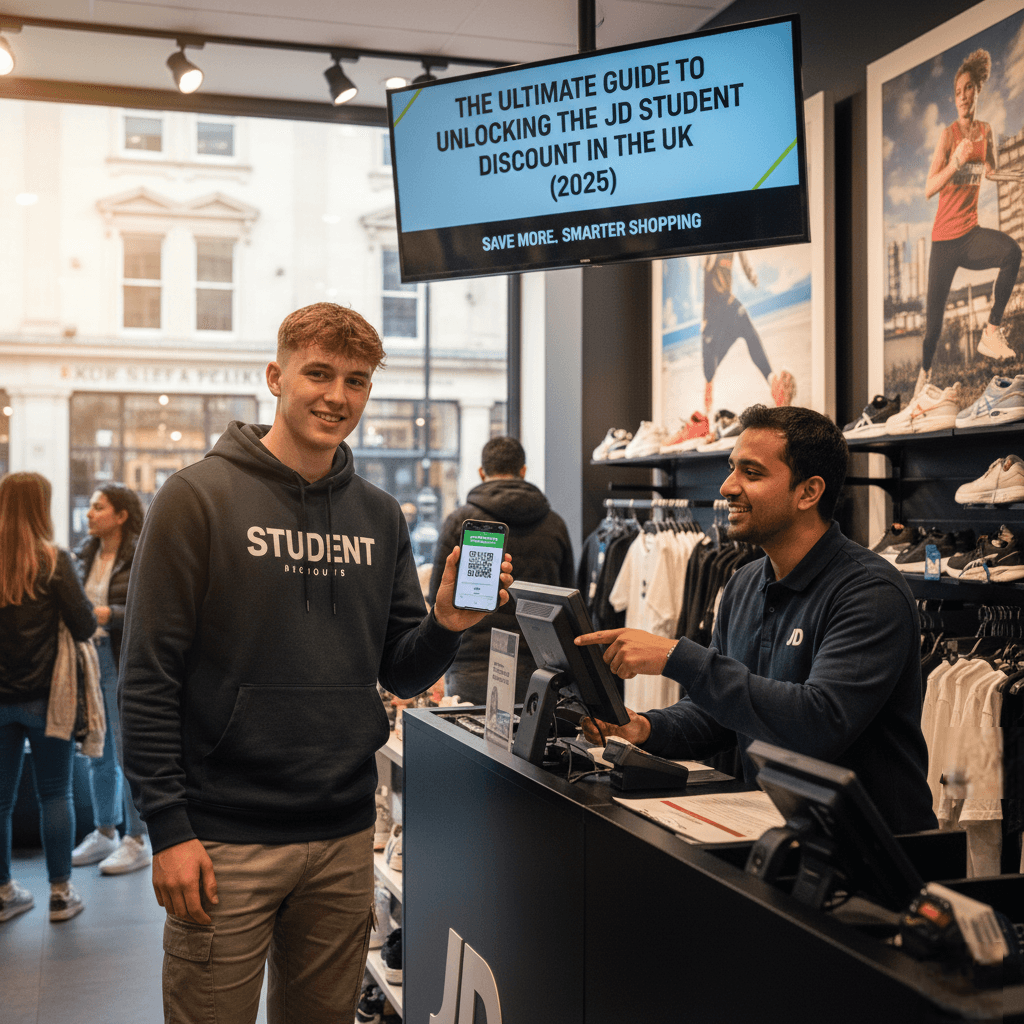
Sometimes you just want to try those trainers on for size or feel the material of a jacket before you buy. The great news is that you can absolutely use your student discount in any of JD’s physical stores across the UK. The process is even simpler than online.
- Get your code ready: Before you head to the till, open your UNiDAYS or Student Beans app. Navigate to the JD Sports offer. Instead of a code, the app will usually generate a QR code or show your virtual student ID.
- Show it at the till: Simply present your phone with the app open to the cashier when you’re paying. They will scan the code or verify your ID.
- Have your Student ID handy: While the app is often enough, it’s always a good idea to have your physical university/college ID card with you as a backup. Some staff may ask to see it as an extra layer of verification.
The discount will be applied to your purchase right there and then. It’s a seamless way to save while enjoying the traditional high street shopping experience.
The Fine Print: Key Terms and Exclusions to Be Aware Of
Ah, the terms and conditions. It’s the part we all tend to skip, but when it comes to discounts, it’s essential reading to avoid disappointment at the checkout. While the specific T&Cs can change, here are the most common rules that apply to the JD student discount:
- Sale Items are Usually Excluded: This is the big one. In most cases, you cannot apply your student discount on top of items that are already on sale or part of a promotion. If you try, the code simply won’t work. The discount is intended for full-price items only.
- Brand and Product Exclusions: Sometimes, certain high-demand brands or specific product lines are excluded from all promotions, including the student discount. This can often apply to limited edition sneaker releases, certain tech items, or collaborations. Always check the T&Cs on the UNiDAYS/Student Beans app before you shop.
- Gift Cards are a No-Go: You cannot use your student discount to purchase JD gift cards.
- Delivery Charges: The discount is applied to the cost of your items, not the delivery fee. You’ll still need to pay the full price for shipping unless you qualify for free delivery by spending over a certain amount.
- One Code Per Transaction: As mentioned, your codes are single-use. If you want to make another purchase later, you’ll need to generate a fresh code. You also cannot stack the student discount with any other promotional code.
Pro-Level Strategy: How to Maximise Your Student Savings at JD
Getting 10% off is great, but a savvy student knows how to turn a good deal into an amazing one. Here are some expert tips to get the most value out of shopping at JD.
1. Time Your Purchases Strategically
JD often increases its student discount to 20% during specific times of the year. Keep a close eye on your UNiDAYS and Student Beans apps around:
- Fresher’s Week (September/October): To welcome new students.
- Black Friday Period (November): Sometimes they run an alternative offer or boost the student discount.
- January Sales Period: To capture the post-Christmas and New Year fitness rush.
- Easter/Spring Break: Another key student holiday period.
Holding off on a big purchase until one of these boosted periods can save you a significant amount of cash.
2. Sign Up for JDX Unlimited Delivery
If you’re a regular JD shopper, the JDX Unlimited membership is a no-brainer. For a one-off annual fee of £9.99, you get unlimited free standard delivery for an entire year, plus other perks like early access to sales and exclusive launches. While your student discount won’t apply to the membership fee itself, think about how quickly that pays for itself. With standard delivery costing around £3.99 per order, you only need to place three orders in a year to make your money back. Everything after that is pure savings.
3. Use the JD App for Raffles
For the most hyped, limited-edition trainer releases (think special Nike Dunks, Air Jordans, or Yeezys), you can’t just buy them off the shelf. You need to enter a raffle via the JD app for a chance to purchase them. The student discount won’t apply to these high-heat items, but being in the know and using the app is the only way to even get a shot at them. It’s a core part of the modern sneakerhead experience.
4. Follow JD on Social Media
Stay connected with JD’s social media channels (Instagram, TikTok, etc.) and sign up for their newsletter. This is often the first place they’ll announce flash sales, competitions, and those all-important student discount boost events. Being informed is being prepared to save.
FAQs: Your Quick-Fire Questions Answered
Here are some of the most frequently asked questions about the JD Student Discount, all in one place.
My student discount code isn’t working. What should I do?
First, double-check you’ve met the conditions. Are the items in your basket full-price? Have you typed the code correctly? If it’s still not working, the issue might be with the code itself. Try generating a new one from UNiDAYS or Student Beans. If problems persist, contact the customer support for the platform you’re using, as they manage the codes.
Can I use the discount on behalf of a friend?
Officially, no. The discount is non-transferable and intended for the verified student only. The unique codes are designed to prevent sharing.
Does the student discount work at Size?, Scotts, or Tessuti?
Size?, Scotts, and Tessuti are all part of the JD Sports Fashion group, but they operate as separate brands. You will need to check UNiDAYS and Student Beans to see if they have their own, s
I’m a college student doing my A-Levels. Can I get the discount?
Yes! Both UNiDAYS and Student Beans also offer verification for students in Sixth Form or College who are aged 16 and over. The verification process is the same, so you can start saving even before you get to uni.
Being a student is a unique time in your life, and managing your finances is a key skill you’ll learn along the way. Using tools like the JD Student Discount is a smart, simple, and effective way to make your money go further. It allows you to access high-quality clothing and footwear from the world’s biggest brands, ensuring you look and feel great, whether you’re in the library or at the student union. So, get verified, get your code, and happy shopping!