
 savingsspot.co.uk
 For modern creatives operating across the United Kingdom, from the bustling design agencies of central London to the vibrant independent game studios in Manchester, Adobe Creative Cloud remains the undisputed industry standard. Whether you are manipulating high-resolution imagery in Photoshop, cutting award-winning short films in Premiere Pro, or designing vector graphics in Illustrator, the Adobe ecosystem is deeply ingrained in professional workflows. However, this unmatched software suite comes with a significant recurring financial commitment. Since transitioning to a Software as a Service (SaaS) subscription model, Adobe has streamlined updates and cloud collaboration, but it has also left many freelance artists, students, and small businesses searching for sustainable ways to manage their overheads.
Navigating the complex pricing tiers, promotional windows, and hidden retention offers can feel like a full-time job. Fortunately, securing a substantial discount on an Adobe Creative Cloud subscription is entirely possible if you understand the underlying mechanics of their sales cycles. This article delves deeply into proven strategies to legally and reliably lower your monthly or annual expenditure on Adobe software.
The True Value of the Ecosystem: Assessing Your Needs
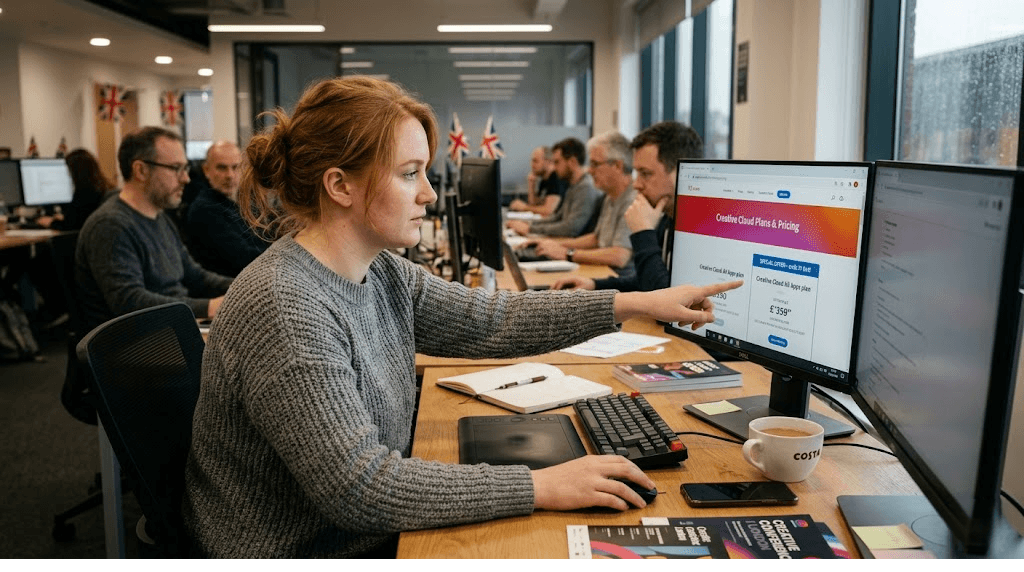
Before hunting for bargains, it is crucial to audit your actual software usage. Adobe relies on the “All Apps” plan being the default choice for many consumers who mistakenly believe they need every programme in the suite. The Creative Cloud catalogue includes over twenty distinct applications, including highly specialised tools like Audition for audio engineering, Dreamweaver for web design, and After Effects for motion graphics. If your daily workflow only requires one or two of these tools, paying for the entire suite is a false economy.
A common threshold to remember is the ‘rule of two’. If you require three or more standalone applications, the All Apps plan is almost always the most cost-effective route. However, if your focus is strictly on video editing and you only launch Premiere Pro, purchasing a Single App subscription will save you hundreds of pounds annually. By accurately auditing your professional or hobbyist needs, you lay the groundwork for immediate, structural savings before even applying a discount code.
The Photography Plan: Adobe’s Best Kept Secret
If there is one package that stands out as a phenomenal bargain in Adobe’s current pricing architecture, it is the Creative Cloud Photography Plan. Aimed primarily at photographers and digital retouchers, this bundle is notoriously difficult to find prominently displayed on the main Adobe homepage, as the company naturally prefers to upsell users to the more expensive All Apps or standalone Photoshop packages.
The Photography Plan includes full desktop and iPad versions of Adobe Photoshop, Adobe Lightroom Classic, and the cloud-based Adobe Lightroom. In the UK, this bundle typically retails for under £10 per month when bundled with 20GB of cloud storage. Considering a standalone Photoshop subscription costs considerably more, this plan represents a loophole of sorts for graphic designers, digital artists, and illustrators who rely heavily on Photoshop but have no use for video or layout software. For those who shoot raw files and require extensive cloud syncing, a 1TB storage variant is also available, though this essentially doubles the monthly cost. For sheer value, the 20GB tier remains arguably the most competitive subscription in the creative software market.
Capitalising on the Education Discount
Adobe’s most generous pricing tier is undoubtedly the Student and Teacher edition. If you are in full-time or part-time education within the UK, or if you work for an accredited educational institution, the savings are staggering. The educational discount routinely slashes the price of the complete All Apps plan by over 60% for the first year, dropping the monthly cost to around £16.24. Even when the price increases in the second year of the subscription, it remains heavily discounted compared to the commercial rate, hovering around £25.28 per month.
How to Qualify and Verify
To qualify for this substantial discount, you must be able to prove your educational status. Adobe utilises automated verification systems, often checking against an institutional `.ac.uk` email address. However, if your school or college does not provide a standard academic email address, do not panic. You can manually submit documents such as a valid student ID card, a tuition bill, or a letter from your institution.
It is also worth noting that this offer is not strictly limited to university students. Secondary school students, mature students enrolled in accredited vocational courses, and faculty members all qualify. The educational version of the software is absolutely identical to the commercial version; there are no watermarks, restricted features, or commercial use limitations, meaning enterprising students can legally use the discounted software for paid freelance work while studying.
Seasonal Sales Cycles: Timing Your Purchase
If you are a professional user who does not qualify for an educational discount, patience is your most valuable asset. Adobe operates on a highly predictable promotional calendar. Subscribing on a random Tuesday in February means paying the premium, standard rate. Instead, creatives should align their software renewals or initial purchases with major global retail events.
- Black Friday and Cyber Monday: Late November is unequivocally the best time of the year to purchase an Adobe subscription. Historically, Adobe offers up to 40% off the All Apps plan for new and returning subscribers. This reduced rate is locked in for an entire year.
- Amazon Prime Day: It is a little-known fact that you do not have to buy your subscription directly from Adobe’s website. Retailers like Amazon UK frequently sell 12-month prepaid activation codes for Creative Cloud. During Prime Day (usually in July), these prepaid codes often see massive price crashes. Buying a code outright protects you from unexpected monthly price hikes and often undercuts Adobe’s own direct sales.
- Back to School Campaigns: Late August and September often bring targeted promotions. While primarily aimed at pushing the student discounts even lower, Adobe occasionally throws in sweeteners for standard commercial users during this period.
The Cancellation Strategy: Unlocking Retention Offers
One of the most widely discussed strategies within creative circles is the ‘cancellation trick’. Like many modern subscription services, Adobe’s customer retention algorithms are programmed to prevent churn. When you initiate the cancellation process for your Creative Cloud subscription, the system will often attempt to woo you back with a highly lucrative automated offer.
To test this, log into your Adobe account and navigate to the ‘Manage Plan’ section. Select the option to cancel your subscription. You will be guided through a series of screens asking for your reason for leaving (selecting options related to ‘too expensive’ or ‘financial reasons’ yields the best results). Before the final cancellation confirmation, the system will frequently present a retention offer. This can range from two months of free service applied directly to your account, to a heavily discounted monthly rate locked in for the next 12 months.
A vital warning regarding this strategy: Ensure you understand the terms of your current contract before attempting this. If you are on an “Annual plan, paid monthly”, cancelling before the 12-month term is up normally incurs an early termination fee amounting to 50% of your remaining balance. The retention offer usually waives this fee, but you must read the prompts carefully to avoid accidentally accepting a massive cancellation charge.
Corporate Deals and VAT Deductions
For freelance creatives and small agency owners operating as registered limited companies or sole traders in the UK, managing the tax implications of software subscriptions is a practical way to lower the effective cost. Creative Cloud is wholly considered a legitimate business expense. This means the entire cost of the subscription can be deducted from your taxable profits, thereby lowering your annual Corporation Tax or Income Tax bill.
Furthermore, if your business is VAT registered, you can reclaim the 20% Value Added Tax charged on your monthly Adobe invoices. While this does not lower the upfront sticker price, it significantly reduces the actual financial impact on your business’s bottom line. For larger studios, Adobe offers Creative Cloud for Teams. While the per-user cost is actually slightly higher than individual plans, it offers central admin consoles, consolidated billing, and reassignment of licenses—saving administrative time and preventing the loss of digital assets when an employee leaves the company.
Conclusion: Staying Vigilant in a Subscription Economy
The transition to a subscription-based creative industry has fundamentally altered how professionals manage their tools. While it is easy to view the monthly Adobe Direct Debit as an unavoidable tax on your creative career, adopting a proactive approach to your account management can yield substantial savings. By meticulously evaluating which applications you actually need, leveraging the remarkable value of the Photography Plan, exploiting major retail sales events, and intelligently engaging with customer retention algorithms, you can significantly diminish the financial burden.
Creativity should not be hindered by exorbitant software costs. By applying the strategies outlined above, UK creatives can ensure they are heavily optimising their expenditure, leaving more capital to invest back into what truly matters: hardware upgrades, marketing, and the creative projects themselves. Never accept the default price at face value; in the digital software economy, there is almost always a deal waiting to be unlocked.